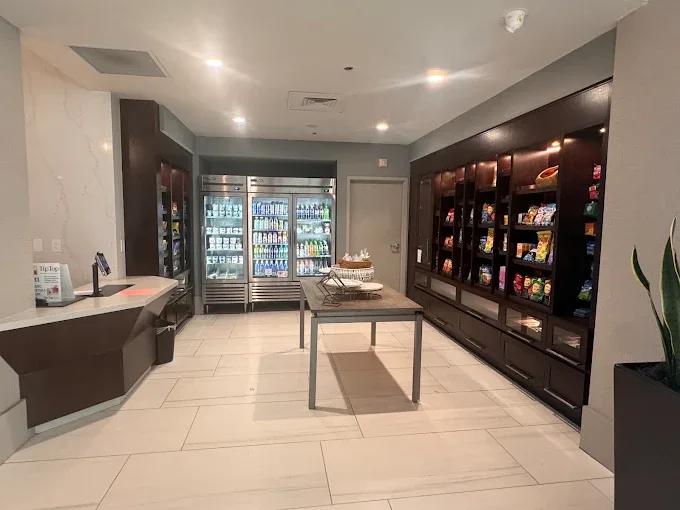
A micro-market gives employees a different way to purchase workplace refreshments. Instead of selecting products through a vending machine’s limited dispensing slots, employees browse open shelves, choose what they want, and complete their purchases at a self-service checkout kiosk. This format offers more room for product variety, but it also requires a suitable layout, reliable payment technology, and a plan for managing inventory.
Before arranging an office micro-market installation, businesses should understand how the checkout process works and what their facility needs to accommodate.
How Does a Micro-Market Differ From Traditional Vending?
Traditional vending machines store products behind a glass display or inside enclosed compartments. Employees select an item, make a payment, and collect it through a dispensing opening. The machine controls product access and handles each transaction individually.
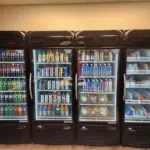
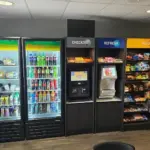
A micro-market uses an open-concept arrangement. Employees can browse refrigerated displays, shelves, and product racks before taking their selections to a checkout station. This makes it easier to offer a wider assortment, including packaged snacks, bottled drinks, and fresh meals.
The main difference is the purchasing workflow. Vending machines automate product selection and dispensing, while micro-markets allow employees to handle products themselves before paying at a designated kiosk.
What Happens at a Self-Service Checkout Kiosk?
The checkout kiosk is central to the micro-market experience. After selecting their products, employees bring them to the payment station and follow the available checkout instructions.
Depending on the system, this may involve scanning product barcodes, selecting items through a touchscreen, or using another supported identification method. Employees then complete payment using the available options, which may include credit cards, debit cards, or mobile payment methods.
Before choosing a system, businesses should ask:
-
Which payment methods does the kiosk accept?
-
Does the system require employees to create accounts?
-
How are unsuccessful transactions and refund requests handled?
-
Are transaction records or sales reports available?
-
What support is provided if the checkout equipment stops working?
The payment process should be straightforward enough for employees to use independently, particularly during busy break periods.
How Much Space Does Installation Require?
Unlike a single vending machine, a micro-market needs room for several components. These may include shelving, refrigerated displays, a checkout kiosk, and space for employees to browse and move through the area.
Start by measuring the proposed location. Consider the available floor area, electrical access, existing breakroom furniture, and the routes employees use throughout the day. The layout should allow customers to approach product displays and checkout without obstructing entrances, walkways, or shared facilities.
Employee volume also matters. A market serving a large workforce may need more display capacity and a checkout arrangement that accommodates several people at once. Businesses should discuss the proposed layout with their provider rather than assuming an unused corner will be sufficient.
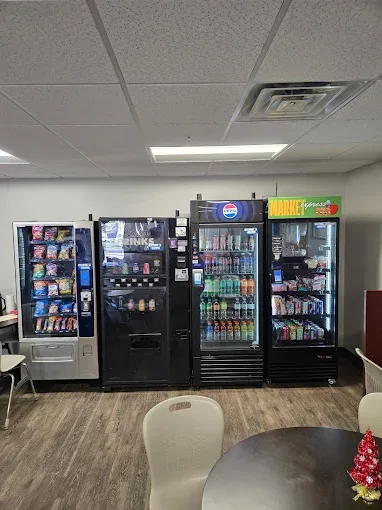
At The Vending Station, we help businesses across Orlando, Daytona Beach, Gainesville, Jacksonville, Lakeland, Ocala, Tampa, West Palm Beach, Leesburg, Davenport, Melbourne, Orange County, Plant City, Haines City, Polk County, Winter Haven, St. Augustine, Seminole County, St. Lucie County, and Cocoa Beach plan office micro-market installations around their available space and employee needs. Our corporate micro-market solutions can include fresh Market Express meals, snacks, and beverages. Through our USConnect partnership, participating customers can earn five loyalty points per dollar spent and redeem eligible rewards under program terms.
Contact us for office micro-markets that work for you.